
효과적인 NanoBanano Pro 프롬프트를 구성하는 요소는 무엇인가?
- **명확한 주제:**사진 속에 누가/무엇이 있나요?
- **스타일과 분위기:**현실적, 애니메이션풍, 영화 같은 등.
- **세부 정보:**조명, 카메라 각도, 배경
이 NanoBanano Pro 프롬프트를 사용하는 방법
- 간단한 3단계 워크플로우:
- 이 기사에서 프롬프트 예시를 복사하세요.그것을 우리 쪽에 붙여넣으세요페이지 만들기 or 홈페이지그리고 이미지를 생성합니다.아이디어에 맞게 주제, 스타일 또는 색상을 조정하세요.
- 팁: 한 번에 한두 가지만 바꿔보세요.
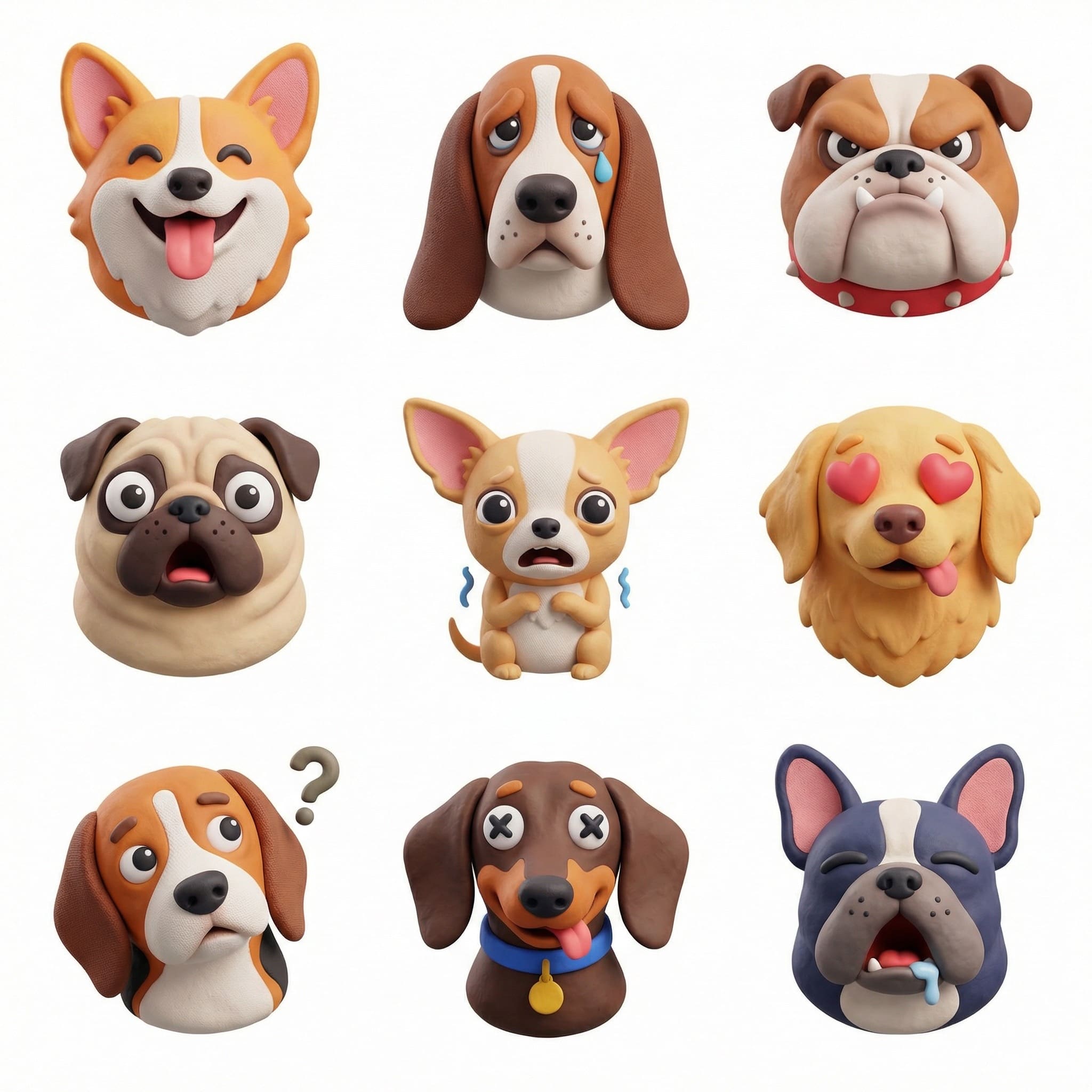
프롬프트 #1: 이모지 스타일의 반려동물 아이콘 그리드
사용 사례
소셜 미디어를 위한 재미있고 밈 스타일의 이모지 팩이나 반응 스티커를 애완동물, 물건 또는 어떤 테마 아이콘을 사용해 3×3 격자 형태로 만드세요.
Prompt
Create a collection of icons representing [a theme], they belong together as a single theme. Put them in a 3x3 grid. The background is white. Make the icons in a colorful and tactile 3D style. No text.
- dogs with different emotions
- the same cat in different emotions
프롬프트 목표
일관된 촉감의 3D 스타일로 관련 아이콘 9개를 생성하세요.
추천 대상:
- 자신만의 이모티콘/스티커 세트를 원하시는 반려동물 주인들.
- 계절, 음식, 분위기, 휴일 등 테마 아이콘 팩이 필요한 크리에이터들.
팁:
- 반려동물 사진의 경우, 선명하고 정면을 향한 사진이며, 조명이 좋은 것을 선택하세요.
- 기본 프롬프트 구조를 안정적으로 유지하고 테마/감정/색상만 조정하여 9개의 아이콘 전반에 걸쳐 스타일의 일관성을 유지하세요.
Example
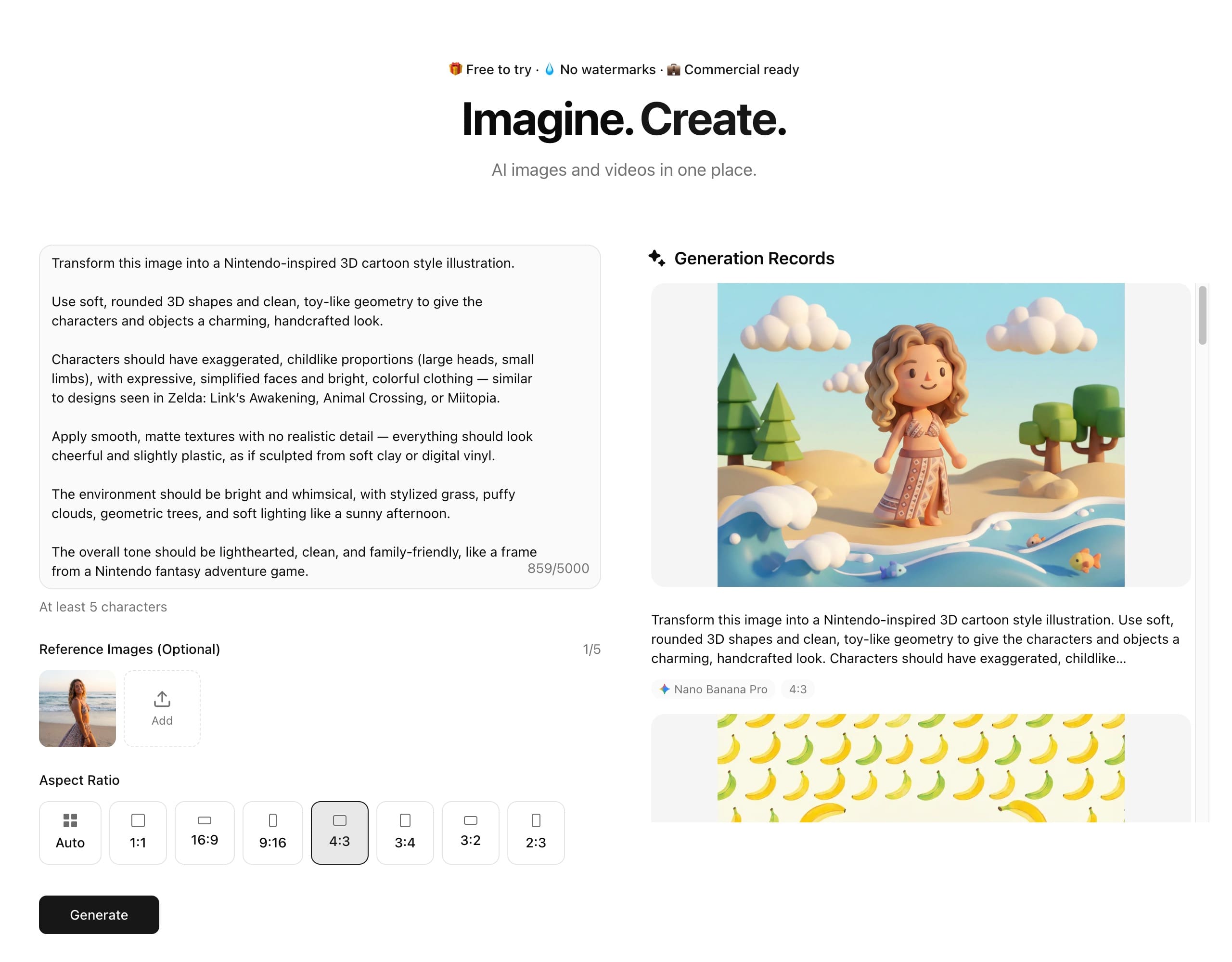
프롬프트 #2: 닌텐도에서 영감을 받은 3D 카툰 일러스트레이션
사용 사례
사진이나 간단한 아이디어를 Nintendo‑스타일의 3D 만화 일러스트로 변환하여, 배너, 썸네일, 게임 컨셉, 또는 재미있는 캐릭터 아트에 완벽하게 어울립니다.
프롬프트:
Transform this image into a Nintendo-inspired 3D cartoon style illustration.
Use soft, rounded 3D shapes and clean, toy-like geometry to give the characters and objects a charming, handcrafted look.
Characters should have exaggerated, childlike proportions (large heads, small limbs), with expressive, simplified faces and bright, colorful clothing — similar to designs seen in Zelda: Link’s Awakening, Animal Crossing, or Miitopia.
Apply smooth, matte textures with no realistic detail — everything should look cheerful and slightly plastic, as if sculpted from soft clay or digital vinyl.
The environment should be bright and whimsical, with stylized grass, puffy clouds, geometric trees, and soft lighting like a sunny afternoon.
The overall tone should be lighthearted, clean, and family-friendly, like a frame from a Nintendo fantasy adventure game.
팁:
- 참고 이미지를 사용하여 원본에 가깝게 유지하려면 ‘같은 자세와 구도’를 유지하라는 말을 언급하세요.
- 극도로 사실적인 디테일을 요구하지 말고, 부드럽고 장난감 같은 3D 형태와 매트한 질감을 강조하여 진정한 닌텐도 느낌을 주도록 하세요.
- 닌텐도의 스타일에 맞춰 어조를 가볍고 깨끗하며 가족 친화적으로 유지하세요.
Example
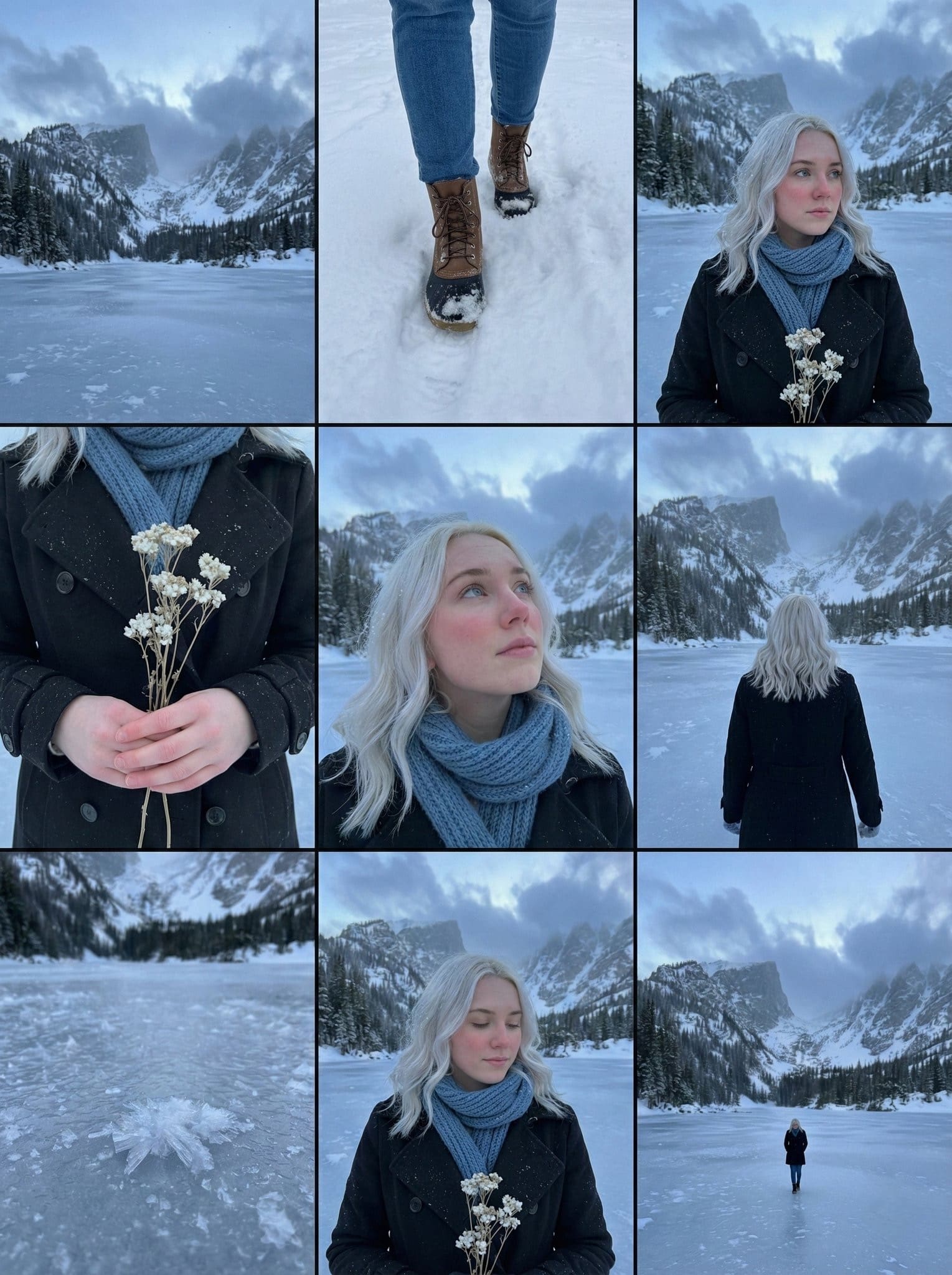
프롬프트 #3: 시네마틱 스토리보드 그리드 (알파인 초상 시리즈)
사용 사례
시네마틱 스토리보드/컨택 시트 생성: 일관된 이야기 세계관 속 같은 캐릭터의 9패널로 구성되며, 무드보드, 영화 콘셉트, 사진 시리즈 아이디어, 또는 소셜 미디어 캐러셀에 매우 적합합니다.
Prompt
A 3x3 cinematic storyboard contact sheet consisting of 9 distinct panels arranged in a grid. The sequence features a young woman with platinum blonde hair in a frozen alpine winter setting.
The panels display various angles and shots:
Close-ups: Focusing on her rosy cheeks, blue-grey eyes, and snowflakes on her eyelashes.
Medium shots: Showing her wrapped in a black wool coat and blue knit scarf, holding a bouquet of dried white flowers.
Wide shots: Capturing her standing alone on the frozen lake with towering snowy mountains in the background.
The lighting is consistent moody blue-hour twilight across all frames. High-quality film photography aesthetic, photorealistic, 8k resolution, coherent character and color grading.
제안된 변형들
- 배경 테마를 변경: 사막 로드 트립, 밤에 비가 오는 도시, 네온 골목, 가을 숲.
- 캐릭터를 바꿔라: 성별, 나이, 스타일을 다르게 (스트리트웨어, 빈티지, 판타지).
- 이야기의 분위기를 바꿔라: 우울한, 모험적인, 낭만적인, 신비로운, 스릴러 같은.
Tips
- 참고 사진을 바탕으로 “모든 패널에 동일한 인물”임을 언급하여 정체성을 유지합니다.
- 조명 묘사를 일관되게 유지하라(예: “블루 아워의 황혼”, “골든 아워”) 그리드가 하나의 장면처럼 느껴지도록.
Example
자주 묻는 질문: NanoBanano Pro 프롬프트에 대한 일반적인 질문
질문 1: 좋은 결과를 얻으려면 긴 프롬프트가 필요합니까?
항상 그런 것은 아니다; 명확하고 구체적인 것이 매우 길게 쓰는 것보다 더 중요하다.
Q2: 초보자도 이러한 프롬프트를 경험 없이 사용할 수 있나요?
네, 그것들은 이렇게 설계되어 있습니다초보자를 위한 쉬운 프롬프트.
Q3: 이러한 AI 이미지를 제 프로젝트나 사업에 사용할 수 있나요?
네, Editly 포인트를 구매한 후에는 자유롭게 사용할 수 있습니다.