
Seedance 2.0 Mini is ByteDance's lightweight AI video generation model, launched in mid-June 2026. The short version: it cuts Seedance 2.0's generation cost in half, doubles the speed, and trades about 20% of the visual quality. If you need to produce short-form video at volume, this might be the best value option available right now.
But "cheap" doesn't mean "right for everyone." This article breaks down exactly what Mini can and can't do, and when you should use it versus paying more for the Standard tier.
What Is Seedance 2.0 Mini
The Seedance 2.0 family currently has three tiers:
| Tier | Focus | Cost per second at 720P | Speed | Max Resolution |
|---|---|---|---|---|
| Seedance 2.0 Standard | Best quality | Baseline | 1080P | |
| Seedance 2.0 Fast | Speed first | ~2x faster than Standard | 1080P | |
| Seedance 2.0 Mini | Cost first | ~2x faster than Fast | 720P |
Heads up: several English-language articles misread ¥0.5 as $0.5. The actual cost is far lower. Mini produces 720P video at roughly $0.07 per second — a 10-second clip costs less than a dollar.
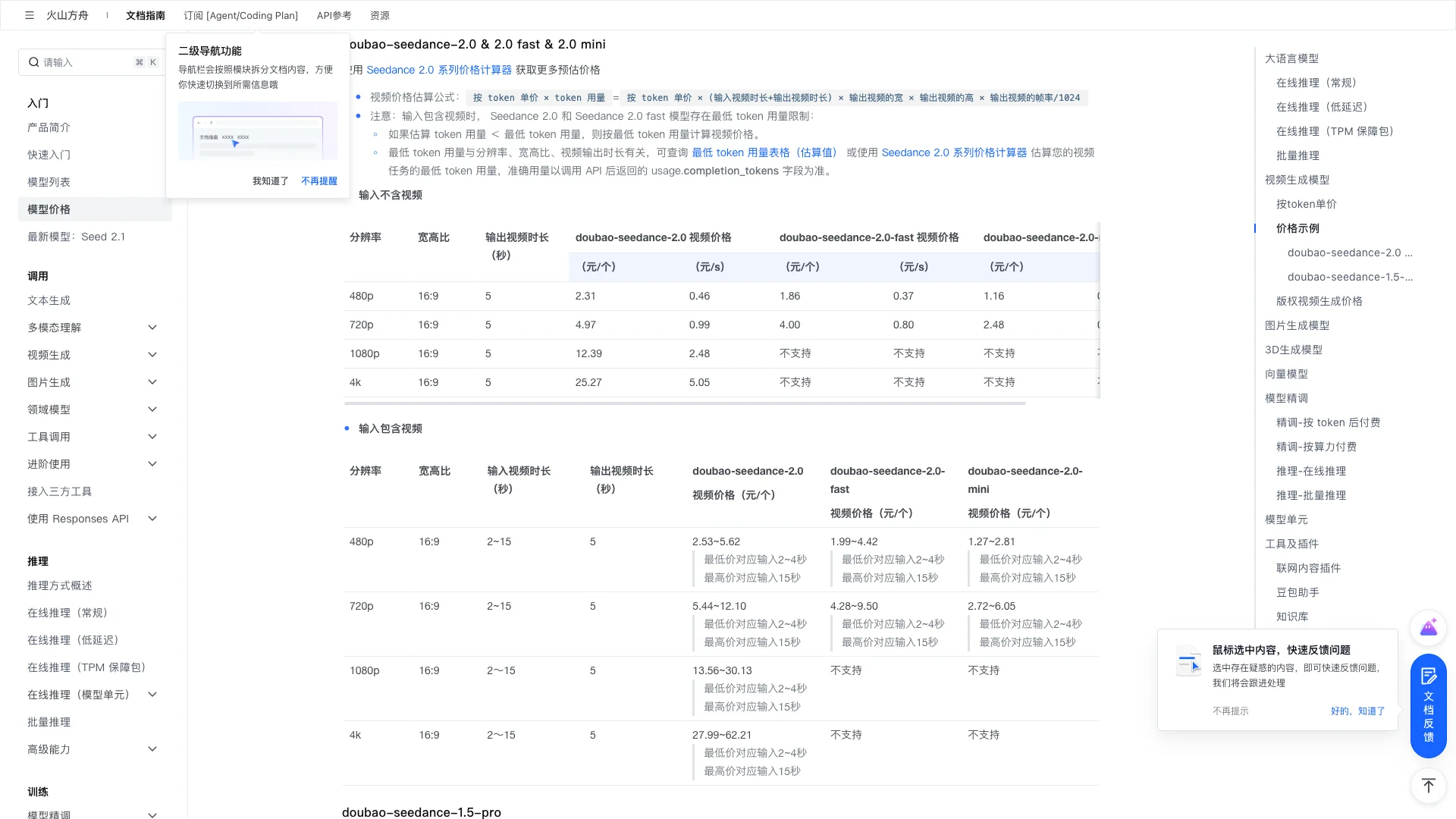 Official Volcengine Ark pricing page — Mini's per-token price is roughly half of Standard
Key Specs
- Input modes: Text-to-video, image-to-video, reference-based generation (up to 6 images + 3 audio clips + 3 video clips)
- Output resolution: 480P, 720P (no native 1080P — upscale in post if needed)
- Clip length: 5 / 10 / 15 seconds
- Frame rate: 24fps (can be interpolated to 30 or 60fps)
- Aspect ratios: 16:9, 9:16, 1:1, 4:3, 3:4
- Generation speed: A 10-second 720P clip finishes in under 60 seconds
When to Use Mini — and When Not To
Most competing articles gloss over this. Not every video task fits Mini. Pick the wrong tier and you either waste money or waste time.
Good Fits for Mini
High-volume social content: Teams posting daily to TikTok / Instagram Reels / YouTube Shorts can generate 5–10 versions and pick the best. Do the math: ¥0.5/sec × 10 sec × 10 clips = ¥50 — half of what Standard would cost.
E-commerce product clips: 3–5 second product animations where 720P looks fine on mobile. Three versions per SKU: ¥0.5/sec × 5 sec × 3 clips = ¥7.5 — practically free.
Creative testing and concept validation: Before committing real budget, use Mini to quickly test multiple visual directions, then polish the winner with Standard.
Training and educational content: Internal training videos, course animations — 720P is more than enough when cinema-grade quality isn't the point.
Poor Fits for Mini
Brand ads and official promos: The 720P ceiling means noticeable blur on large screens. Use Standard's 1080P for these.
Complex motion scenes: Multiple subjects moving simultaneously, rapid camera transitions — Mini's consistency drops noticeably compared to Standard in these cases.
Content requiring precise facial expressions: Mini's face mode has stricter safety filters and watermarking, making it unsuitable for realistic face generation.
Where to Try Seedance 2.0 Mini
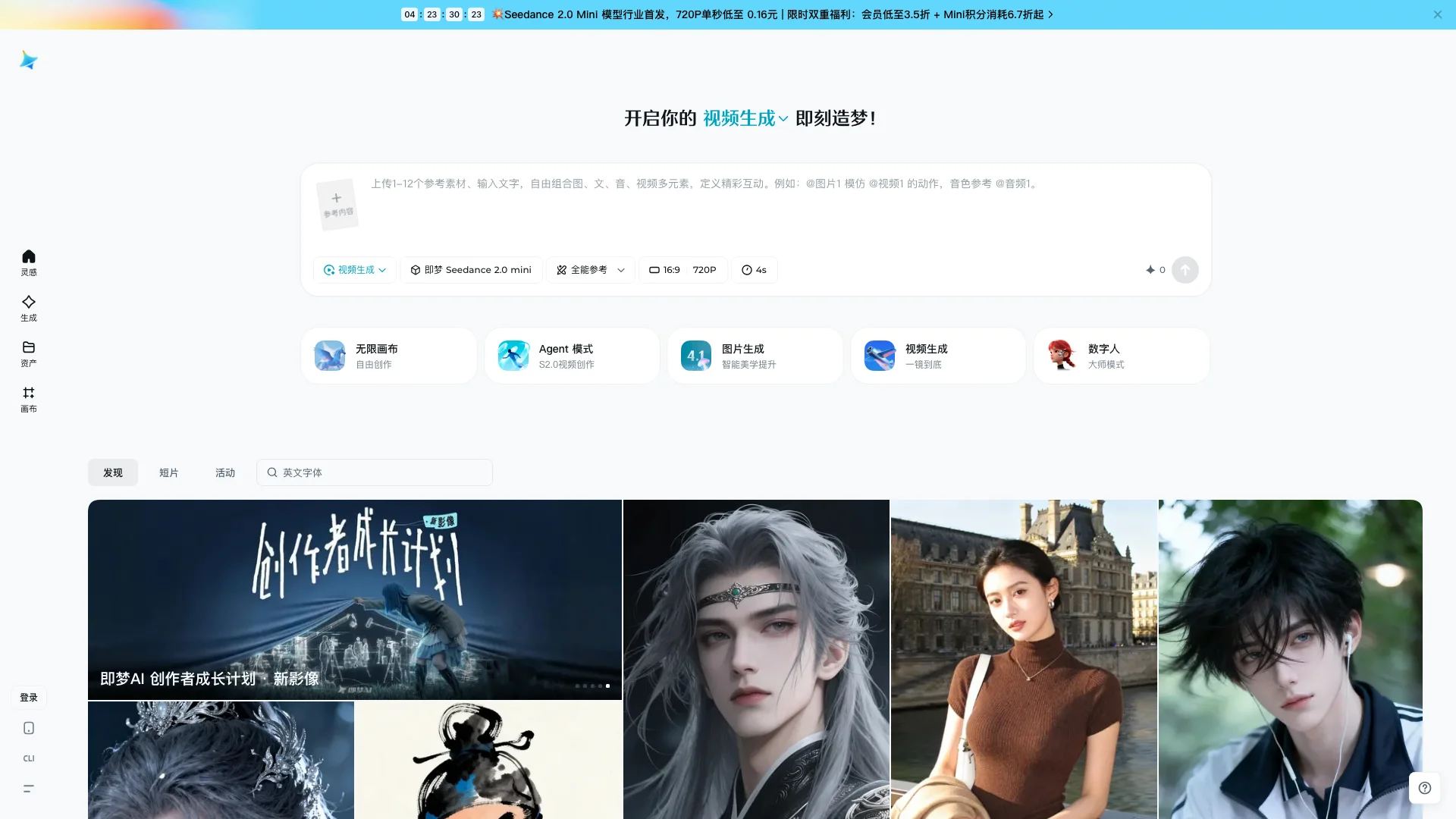 Jimeng (Dreamina) video generation page — the top banner promotes Seedance Mini
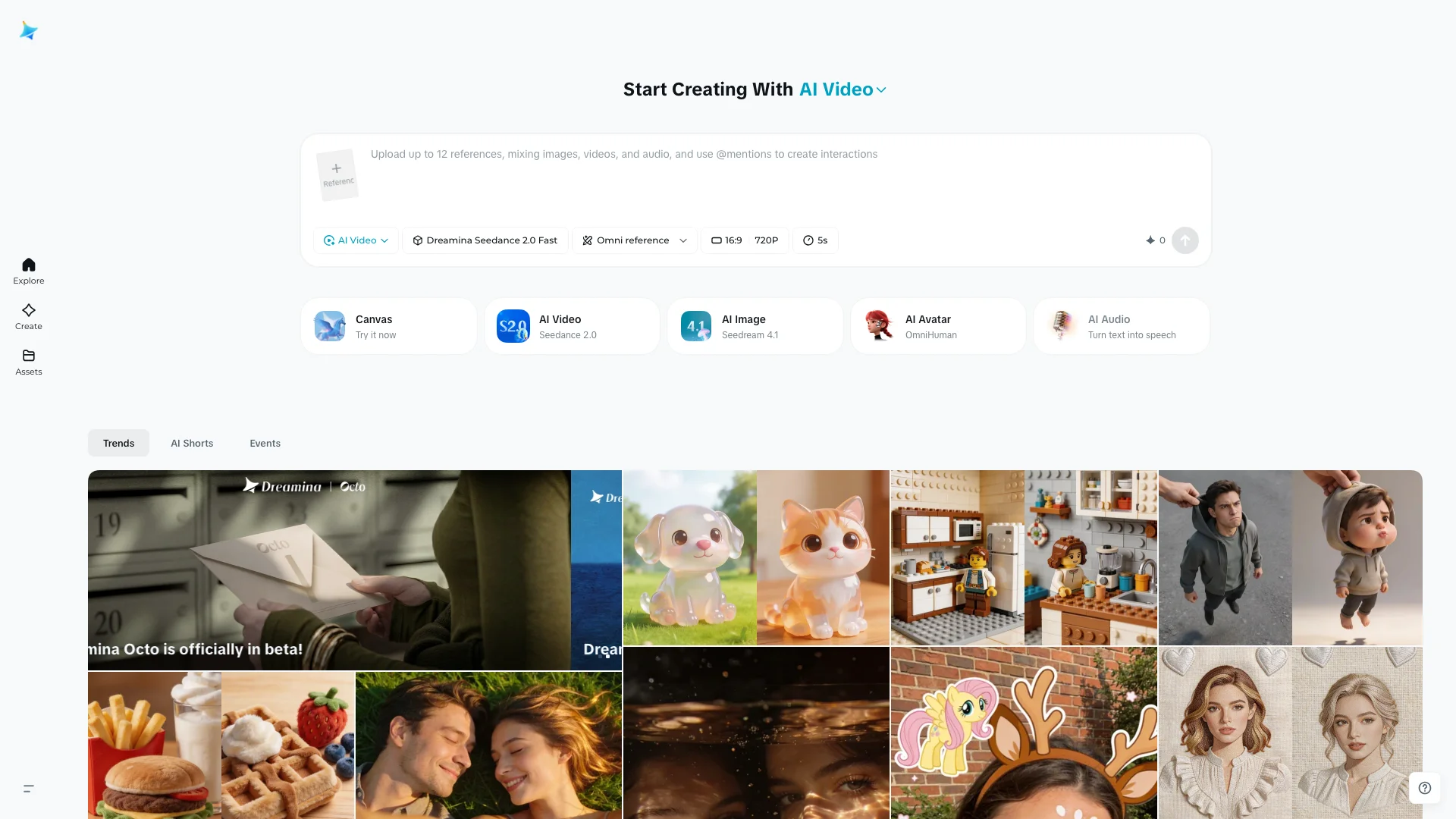 Dreamina English video generation interface — model selector visible in the top-left
Seedance 2.0 Mini just launched and currently has no free trial. If you want a hassle-free way to try it, editly.art is adding Seedance 2.0 Mini soon — no Volcengine or Dreamina account required. New to AI video? Check out our beginner's guide first.
Tips for Better Results
1. Use the "Mini draft → Standard polish" workflow
Iterate on prompts and compositions with Mini first, then switch to Standard for the final render. This workflow costs 3–5x less than trial-and-error on Standard directly.
2. Make the most of reference inputs
Mini accepts up to 12 reference inputs (6 images + 3 audio + 3 video). Strong references beat long text descriptions every time — upload a reference image with a short prompt instead of writing a paragraph.
3. Stick with 720P over 480P
The cost difference is modest (roughly 2x), but the quality gap is obvious. Unless you're doing quick throwaway previews, always choose 720P.
4. Interpolate for smoother playback
Mini outputs at 24fps. If you're publishing to TikTok or Douyin (typically 30fps), use Jimeng's (Dreamina's) built-in frame interpolation to bump it to 30fps for smoother motion.
How Does It Compare to Other AI Video Models
The AI video generation space is getting crowded. Mini's pitch isn't "best quality" — it's "best value." Here's how it stacks up against the main alternatives (720P pricing, as of June 2026 from each platform's official rates):
| Model | Cost per second (approx.) | Max Resolution | Max Duration | Best For |
|---|---|---|---|---|
| Seedance 2.0 Mini | $0.07 | 720P | 15s | Volume content, creative testing |
| Seedance 2.0 Standard | $0.14 | 1080P | 15s | Brand content, high-quality output |
| Kling 2.1 | ~$0.10 | 1080P | 10s | Balanced value and quality |
| Hailuo MiniMax | ~$0.08 | 720P | 6s | Quick prototypes, animation styles |
| Runway Gen-4 | ~$0.25 | 1080P | 10s | Hollywood-grade quality |
Note: Each model bills differently (per-second, per-token, per-generation). Prices above are normalized to approximate cost per second of 720P video for comparison purposes only.
Key takeaways:
- Pure value: Mini is the cheapest mainstream option. Hailuo comes close but caps at 6 seconds versus Mini's 15.
- Quality ceiling: Runway Gen-4 remains the quality benchmark, but costs 3–4x more.
- Chinese prompt support: Mini and Kling handle Chinese prompts significantly better than Runway — unsurprising given their domestic origins.
- API maturity: Runway and Kling have more stable APIs. Mini's API just opened and documentation is still catching up.
How to Access It
| Platform | Best for | Billing |
|---|---|---|
| Jimeng (Dreamina) | Chinese users, visual interface | Credits, RMB |
| Dreamina | International users, visual interface | Credits, USD |
| Volcengine Ark API | Chinese developers | Per-token, RMB |
| BytePlus ModelArk API | International developers | Per-token, USD |
| fal.ai / WaveSpeed and others | Developers avoiding direct ByteDance integration | Varies |
| editly.art (coming soon) | Zero-friction access | Credits |
API documentation is still being finalized. If you're a developer, test your use case in Jimeng (Dreamina) first before integrating the API.
The Verdict: Who Should Use Seedance 2.0 Mini
Use Mini if: You need to produce short-form video daily or weekly, 720P is fine for your audience (mostly mobile viewers), and you want maximum output on a limited budget. E-commerce teams, social media managers, content creators — Mini was built for you.
Skip Mini if: You're producing brand films, need 1080P or higher, or require precise facial generation. Spending 2x for Standard is worth it for these use cases.
The middle ground: Use Mini for creative testing and drafts, Standard for final output. This workflow saves 60–70% of costs while maintaining quality where it counts.
What's Next: Seedance 2.5 is coming in July 2026 — 30-second native clips, 50 reference inputs, local redraw editing, and 4K output.
Related: Seedance 2.5 vs Kling 3.0: Which Should You Choose?